KYC Guide · 2026
Parimatch Account Verification Canada — KYC Guide, Documents & Timeline 2026
Account verification is the step that usually matters most when a Canadian player wants to withdraw money from Parimatch. Registration may take only a few minutes, and deposits can often be made before documents are checked, but withdrawals normally require KYC approval first.
← Back to Registration GuideWhy Parimatch Verification Is Required
Verification is not only a Parimatch policy. It is a standard part of modern online betting and casino account management.
For Canadian players, the process usually serves four purposes: confirming legal age, matching the player to the account, reducing fraud and duplicate accounts, and checking payment ownership before withdrawals.
It can feel annoying, especially when a withdrawal is pending. Still, most delays come from unclear photos, mismatched details, or missing proof of address rather than from the verification requirement itself.
⚠ Ontario Notice
Parimatch should not be treated as an Ontario-regulated gambling operator unless it is listed under the province's current iGaming framework. Ontario players should check local availability before registering or uploading documents. If Parimatch is not available under the provincial framework, players should use locally regulated options instead.
Identity and AML Checks
Online gambling operators use identity checks to reduce fraud, underage gambling, duplicate accounts, stolen payment use, and money-laundering risk.
In Canada, anti-money-laundering rules are associated with the Proceeds of Crime (Money Laundering) and Terrorist Financing Act and FINTRAC, Canada's financial intelligence unit. AML-style checks are a normal part of processing Canadian-dollar gambling transactions. If the account details do not align with the documents, the payout may not move.
Protecting the Account Holder
Verification helps confirm that the person requesting a withdrawal is the same person who registered, deposited, and placed bets. KYC makes it harder for someone else to take control of a balance or withdraw funds under another person's name.
Age Verification
Canadian gambling age depends on province or territory. During KYC, Parimatch may check the registered date of birth against a government-issued ID. If the date of birth is wrong, incomplete, or inconsistent, the account can be restricted until the issue is reviewed.
18+ Provinces
- Alberta
- Manitoba
- Quebec
- Saskatchewan
19+ Provinces & Territories
- British Columbia
- New Brunswick
- Nova Scotia
- Prince Edward Island
- Newfoundland and Labrador
- Yukon, NWT, Nunavut
Documents Needed for Parimatch Verification
Parimatch may ask for one or more documents depending on the account, payment method, deposit history, and withdrawal request. Most Canadian players should be ready to provide the following:
Proof of Identity
- Canadian passport
- Provincial driver's licence (front & back)
- Provincial photo ID card
Proof of Address
- Utility bill (dated within 3 months)
- Bank statement (RBC, TD, BMO…)
- Internet / phone bill
- CRA Notice of Assessment
Proof of Payment
- Card photo (masked middle digits)
- Skrill / Payz account screenshot
- Interac confirmation
Selfie / Liveness Check
- Selfie holding ID (if requested)
- Live camera check via browser
- Colour, good lighting, no filters
Proof of Identity — Details
A passport is often the cleanest option because it is widely recognized and easy to photograph. A driver's licence is also commonly used, but both the front and back may be required.
Health cards are more complicated. In Ontario, the Personal Health Information Protection Act limits how Health Cards can be used for commercial identification. A passport or driver's licence is the safer choice.
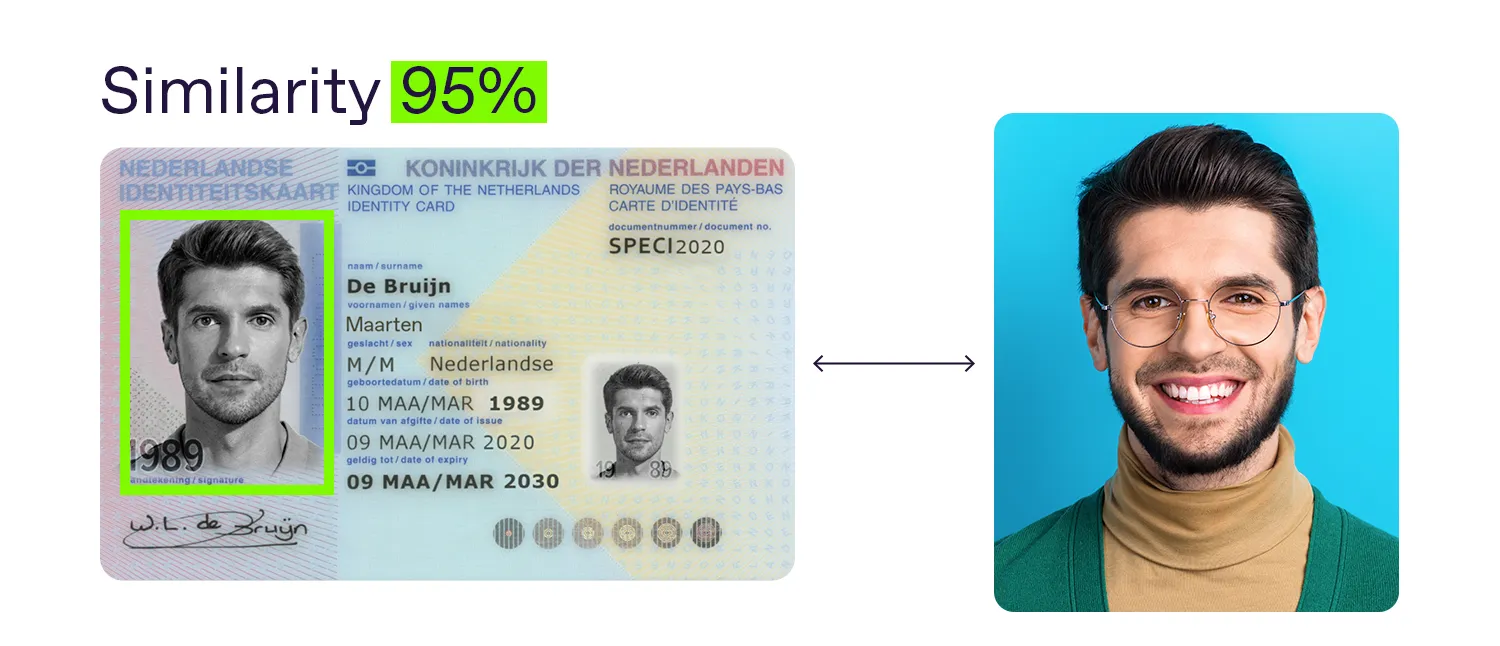
The ID should be valid and not expired, original rather than a photocopy, photographed in colour, fully visible, readable, and consistent with the account details.
Proof of Address — Details
Proof of address must show the player's full name, residential address, document date, and issuer — dated within the last three months. Common examples: Hydro-Québec, BC Hydro, Enbridge, Bell, Rogers, Telus, or a bank statement from RBC, TD, BMO, Scotiabank, CIBC, or Desjardins.
A bank statement can usually be redacted — the account balance and transaction history may be covered, but the name, address, bank name, and document date must remain visible. A downloaded PDF is usually stronger than a mobile screenshot.
Proof of Payment Method — Card Masking
If a card photo is requested, never show the full card number. A safe card photo shows the cardholder name, first 4 digits, last 4 digits, and expiry date if requested. The middle digits must be covered. The CVV must always be hidden.
⚠ Never Upload
Do not upload a full unmasked card number. The CVV on the back must always be hidden. When in doubt, contact support before sending more card information than required.
How to Verify a Parimatch Account
The exact interface may change, but the process usually follows the same basic path.
Log In
Log in to the Parimatch account using the same email, phone, or username created during sign-up.
Use a private connection if possible. Avoid public Wi-Fi when uploading identity documents.
Open Account Settings
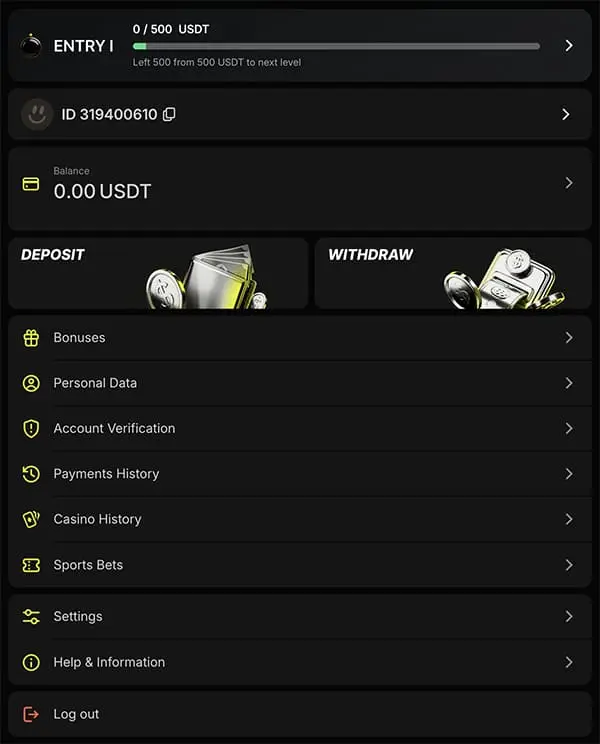
Click the profile icon or account menu. Look for a section labelled Verification, Account Verification, KYC, Documents, or Security.
If the verification tab is not visible, check the cashier or withdrawal area. Some platforms only prompt document upload when the first payout is requested.
Choose the Document Type
Select the document being uploaded — passport, driver's licence, photo ID, proof of address, card proof, or e-wallet proof.
Choosing the wrong category can slow the review because the document may be routed incorrectly.
Upload the Files
Upload clear images or PDFs through the secure account portal. Common accepted formats: JPEG, PNG, PDF.
Avoid very large files if the page has a size limit. If the upload fails, reduce the image size without making the text blurry.
Do not send documents through unofficial links, social media, or email addresses that are not clearly connected to the operator's support system.
Submit and Wait for Review
After all required files are uploaded, submit them for review. Parimatch may send an email, SMS, or in-account message when the review is complete. If something is missing, the message should usually explain what needs to be corrected.
Document Photo Requirements
Poor photo quality is probably the most common reason KYC gets delayed. Before uploading, check all of the following:
💡 Pro Tip
A photo taken on a kitchen table in daylight is often better than a scan with glare or a dark phone picture at night. For ID cards, place the document on a flat surface and take the photo from directly above. For proof of address, a downloaded PDF statement often works better than a photo of a paper bill.
Parimatch Verification Timeline
Verification time depends on document quality, account complexity, payment method, and review volume.
💡 How to Avoid Delays
The easiest way to reduce payout delays is to verify before requesting a withdrawal. Many players wait until they win, then upload documents while the withdrawal is already pending — that is when the process feels slow. A better order: register → confirm details → upload documents early → deposit → withdraw after KYC is approved.
What If Verification Is Rejected?
A rejected document does not always mean the account is in trouble. Most rejections are caused by file quality, document date, or mismatched details. Read the rejection message carefully before uploading again.
Common Rejection Reasons
- Blurry or dark photos
- Cropped documents (corners missing)
- Expired ID
- Proof of address older than three months
- Name or address mismatch with account details
- Wrong document type selected
- Screenshots rejected by the operator
- Card photo with middle digits still visible
- Files unreadable after compression
Small differences can matter. "Apt 12" on the account and "Unit 12" on the bill is usually easy to explain. A completely different city is not.
How to Resubmit
Open the rejection message and identify the exact reason. Take a new photo or download a better PDF, make sure all details are visible, upload the replacement in the correct category, and wait for the new review. Do not keep uploading the same rejected file.
When to Contact Support
Contact support if:
The same document is rejected more than once · The rejection reason is unclear · The account name contains a legal name change · The address changed recently · The verification page will not upload files · The review has been pending beyond the stated timeline · A withdrawal is blocked and no reason is shown.
FINTRAC, AML, and What Canadian Players Should Understand
FINTRAC is Canada's financial intelligence unit. It helps detect and deter money laundering and terrorist financing. Canadian gambling, banking, payment, and financial systems are shaped by AML rules and reporting expectations.
Why AML Checks Affect Gambling Accounts
A betting account can move money in and out. AML checks help operators identify fake accounts, stolen payment methods, unusual deposit patterns, third-party payments, duplicate accounts, high-risk transactions, and attempts to move money without genuine play. Most players will never notice anything beyond normal KYC. Higher-value or unusual activity can trigger additional review.
Project Dolus and Illegal Gambling Risk
In 2024, FINTRAC issued warnings connected to money-laundering risks in illegal online gambling. For Canadian players, the lesson is simple: identity checks are not just paperwork. A site that allows unlimited anonymous deposits and withdrawals should raise questions. The absence of KYC can be a risk signal.
Is It Safe to Upload Documents to Parimatch?
Uploading ID to any gambling site deserves caution. Parimatch states that document uploads are handled through encrypted account pages. SSL encryption protects data while it is being transmitted from the player's device to the platform.
Players should still take precautions:
- Upload only through the official account portal;
- do not use public Wi-Fi;
- do not send ID through social media or unofficial email;
- mask card details — never send full card number;
- check the privacy policy before uploading;
- keep copies of what was submitted.
No online upload is risk-free. The goal is to use the official secure channel, submit only what is required, and avoid exposing unnecessary information.
Verification and Withdrawals
Verification matters most at withdrawal time. A player may be able to register, deposit, claim a bonus, and place bets before documents are approved. But withdrawal is different — before Parimatch releases funds, it may need to confirm the player's identity, address, payment method, and bonus status.
⚠ Before Requesting a Payout — Check:
KYC status · Withdrawal method · Account name matches payment method · Bonus wagering progress · Withdrawal limits · Any pending document requests.
If a bonus is still active, the account may be verified but the withdrawal can still be blocked until wagering is complete. KYC approval and bonus clearance are separate issues.
After verification is complete, players can review how to withdraw winnings from Parimatch Canada.
Parimatch Verification Checklist
Before submitting documents, confirm all of the following. This checklist prevents most KYC delays.
- ID is valid and not expired
- Name matches the Parimatch account exactly
- Date of birth matches the account
- Proof of address is dated within 3 months
- Address matches the account registration
- All four corners of each document are visible
- Photos are clear, colour, and not blurry
- Card middle digits are masked (XXXX)
- CVV is fully hidden
- Files are uploaded in the correct category
- Documents submitted through the secure portal only
- Bonus wagering checked before withdrawal request
Verification FAQ
1. How do I verify my Parimatch account?
Log in, open the account or verification section, choose the document type, upload a valid photo ID, proof of address, and any requested payment proof, then submit the files for review.
2. What documents are needed for Parimatch KYC?
Most players need a government-issued photo ID and a recent proof of address. Parimatch may also request payment-method proof or a selfie/liveness check, depending on the deposit method and account history. A passport or provincial driver's licence is usually the cleanest ID choice, and a recent utility bill or bank statement is the most common proof of address.
3. How long does Parimatch verification take?
Usually 24 to 72 hours. During busy periods such as the Stanley Cup Playoffs or major international tournaments, the review can stretch to about 5 business days.
4. Can I bet before verification is complete?
In many cases, yes. Players may be able to register, deposit, and place bets before KYC is approved. Withdrawals usually require completed verification.
5. Why was my Parimatch verification rejected?
Most rejections come down to file quality or details that do not match. Blurry photos, cropped corners, expired ID, proof of address older than three months, a name or address that does not align with the account, or a card image with the middle digits still visible — any of these can send the document back. The rejection message itself usually explains the exact reason.
6. Is it safe to upload my ID to Parimatch?
Parimatch states that uploads use encrypted account pages. Players should still upload only through the official portal, avoid public Wi-Fi, mask card details, and review the privacy policy before submitting documents.
7. What is FINTRAC?
FINTRAC is Canada's financial intelligence unit, focused on detecting money laundering and terrorist financing. It does not directly regulate offshore gambling operators, but AML expectations shape how banks, payment processors, and gambling platforms handle identity and transaction checks — one reason verification is part of most online betting accounts.
8. Do I need to verify before making a deposit?
Usually no — KYC is more commonly required before the first withdrawal.
9. Can I use a Canadian driver's licence for verification?
Yes. A provincial driver's licence is commonly accepted, and Parimatch may ask for clear photos of both the front and back.
10. What if verification takes too long?
If the review has passed the stated timeline, contact support with the account email or username, upload date, and document type. Keep the message clear and factual.
11. Do I need to verify again later?
Depends — KYC is usually a one-time process, but Parimatch may request updated documents if an ID expires, the address changes, a new payment method is added, or account activity calls for extra review.
12. What happens if I refuse verification?
Withdrawals may be blocked and the account may be restricted. Players should not deposit more funds if they are unwilling to complete KYC.
Ready to Register?
Create Your Parimatch Account Today
Terms apply · Must be of legal gambling age · Gamble responsibly
Register Now →